Connecting to BI Tools
The ampEducator Data Warehouse gives your institution secure access to reporting data that can be used with a wide variety of business intelligence, reporting, and analytics tools.
Rather than connecting directly to your live ampEducator database, the Data Warehouse exports a curated set of reporting tables each night. This allows you to perform complex queries and build dashboards without impacting the performance of your live system.
Once enabled, everything you need to connect is available directly within Reports → Data Warehouse.
Data Warehouse Dashboard
The Reports → Data Warehouse page is your central location for connecting to the Data Warehouse.
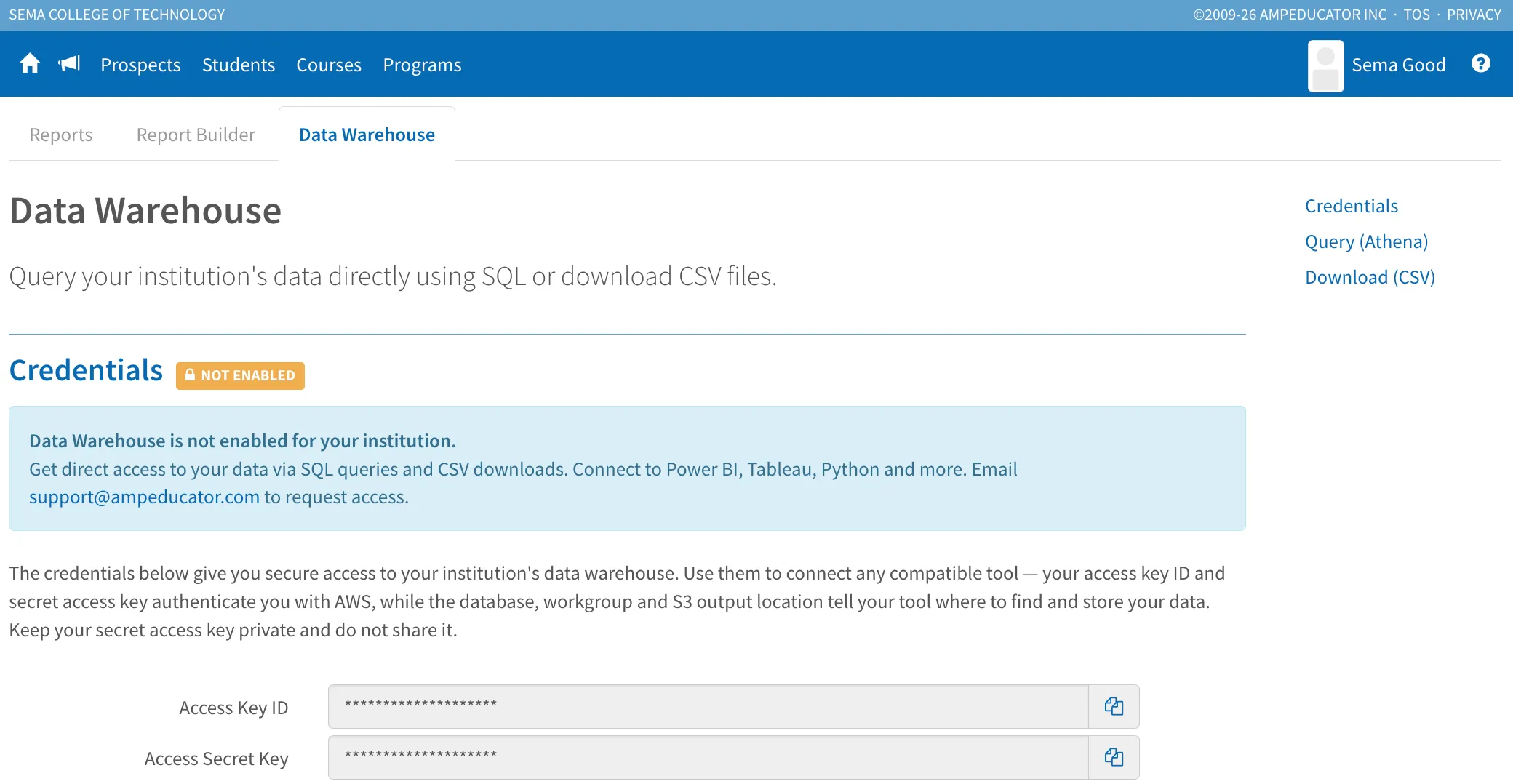
From this page you can view:
- Connection credentials
- Amazon Athena settings
- Amazon S3 download settings
- Built-in connection guides for popular software
- Download instructions
The Data Warehouse is an optional add-on feature and must be enabled for your institution before it can be used.
If the Data Warehouse has not yet been enabled, you'll see a message similar to the one shown above. To learn more or request access, please contact [email protected].
Connection Options
The Data Warehouse supports two methods of accessing your data.
Amazon Athena (Recommended)
Amazon Athena provides direct SQL access to your reporting data and is the recommended option for most institutions.
Benefits include:
- Query using standard SQL
- No database server to manage
- Fast performance
- Works with nearly every modern BI tool
- Access to all Data Warehouse reporting tables
Most institutions will use Athena for dashboards, reports, and analytics.
Direct S3 Downloads (CSV & Parquet)
For institutions that prefer to work directly with files, the Data Warehouse also exports every reporting table to Amazon S3 each night.
Files are available in both:
- CSV
- Parquet
This option is useful for:
- Custom data pipelines
- Importing into another data warehouse
- Python or R analysis
- Machine learning workflows
- Offline reporting
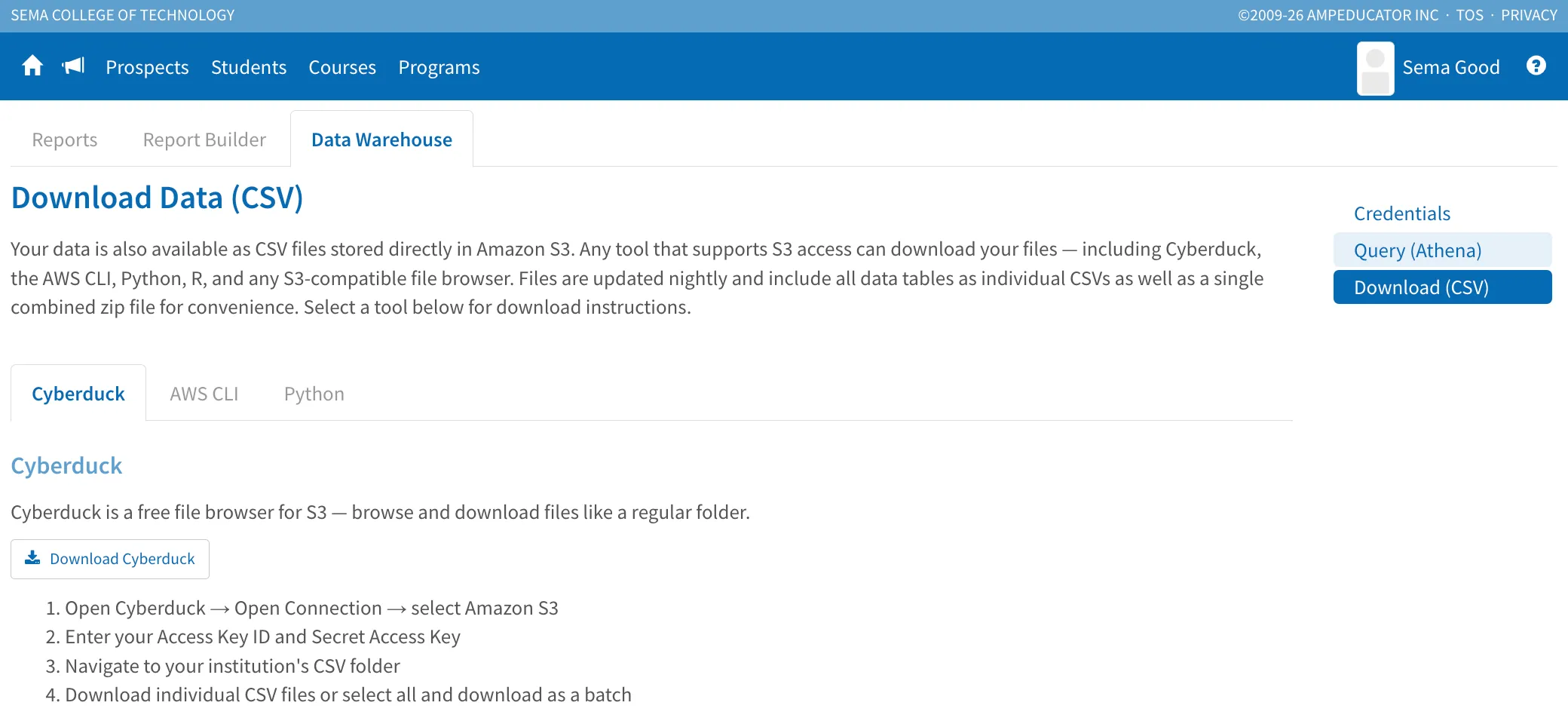
The Data Warehouse page includes connection instructions for downloading files directly from S3.
Built-in Connection Guides
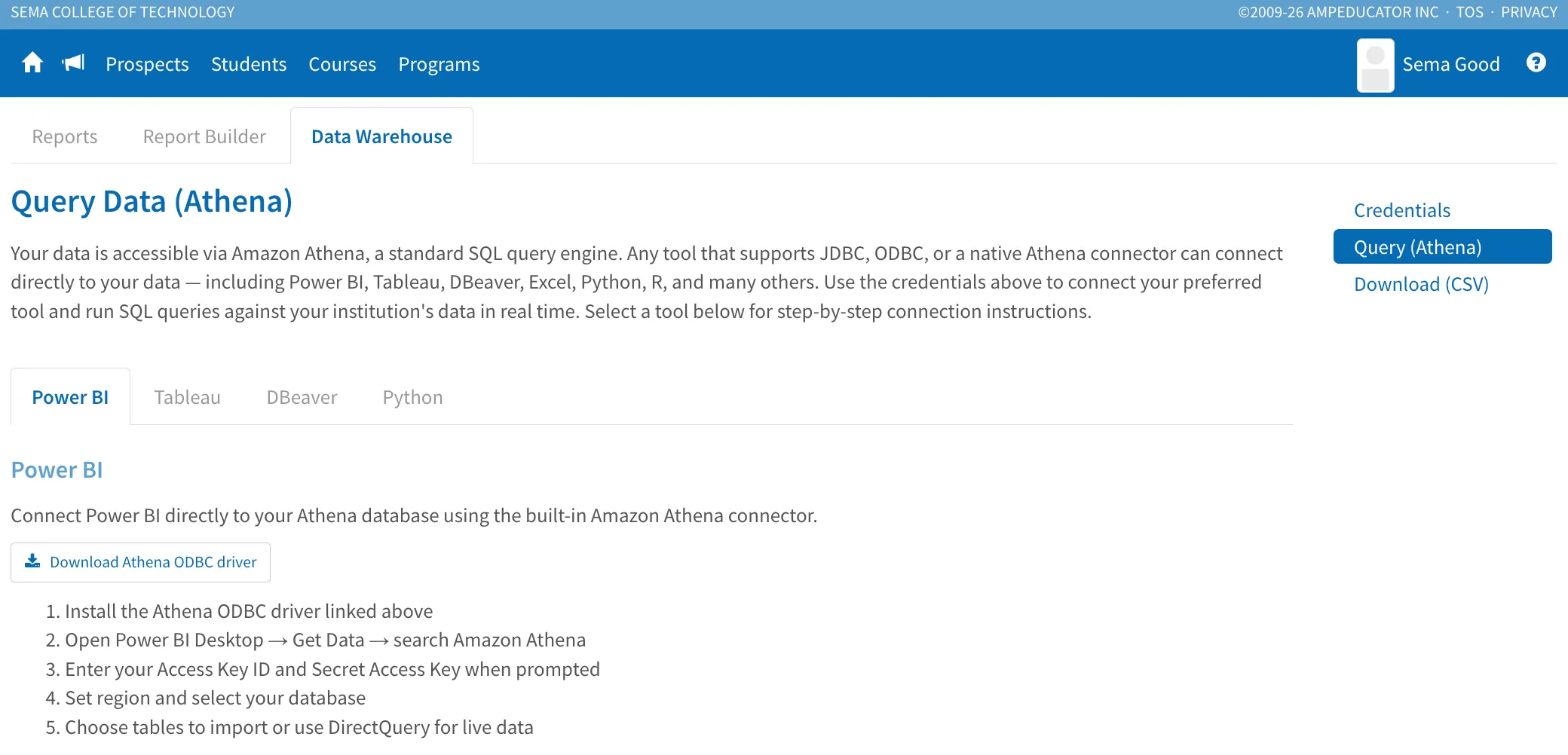
The Data Warehouse includes step-by-step connection instructions directly within ampEducator for several popular applications.
Currently documented tools include:
- Power BI
- Tableau
- DBeaver
- Python
- Cyberduck
- AWS CLI
Supported BI Tools
Because Amazon Athena supports both JDBC and ODBC connections, the Data Warehouse works with almost any modern reporting platform, including:
- Microsoft Power BI
- Tableau
- Excel
- DBeaver
- Python
- R
- Metabase
- Qlik Sense
- Looker
- Any JDBC or ODBC compatible application
If your reporting software supports Amazon Athena, it can generally connect to the ampEducator Data Warehouse.
Recommended First Connection
If you're connecting for the first time, we recommend using DBeaver.
DBeaver is free, easy to configure, and provides a simple interface for browsing tables, testing SQL queries, and verifying your connection before connecting BI platforms such as Power BI or Tableau.
Once your connection is working in DBeaver, connecting other reporting tools is typically straightforward.
Nightly Data Refresh
The Data Warehouse is refreshed automatically every night.
During the overnight process:
- Reporting tables are updated
- CSV files are regenerated
- Parquet files are regenerated
- Amazon Athena immediately queries the newest data
This ensures reports always use the latest available information while avoiding any impact on the live ampEducator system.
Next Steps
Once connected, you can begin exploring the reporting tables and building your own queries.
Continue with:
- Overview – Learn how the Data Warehouse works.
- Tables – Browse all available reporting tables and their relationships.
- Example Queries – Sample SQL queries to help you get started.