Automating Overdue Student Account Management Mini Tutorial
Keeping track of overdue student accounts doesn't have to be a manual process. ampEducator can automatically monitor student account balances, notify staff when accounts become overdue, send payment reminders to students, and apply financial holds based on rules you define.
This guide will walk you through setting up each of these features.
Configure Your Overdue Account Criteria
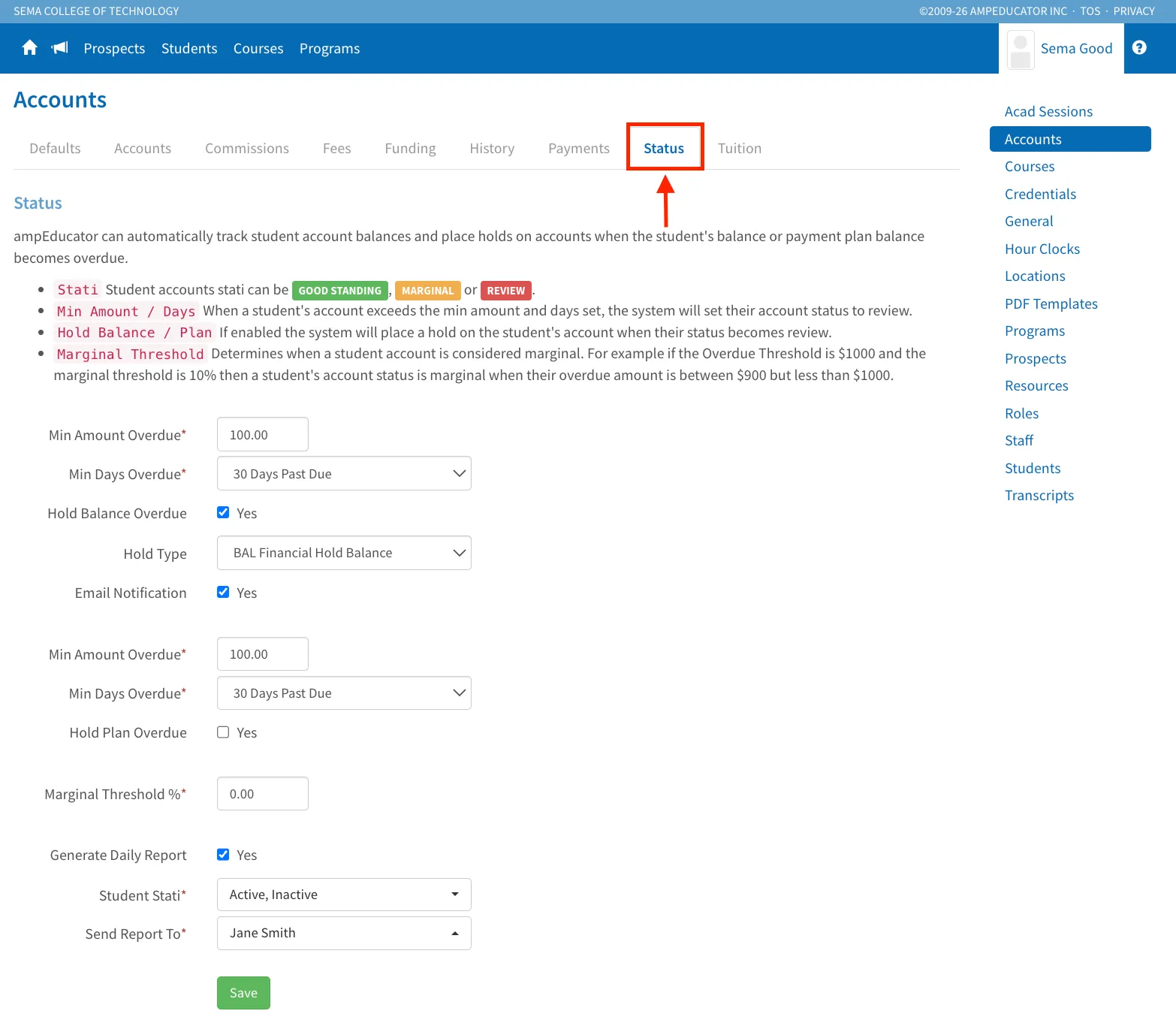
This is where you'll define the criteria that ampEducator will use to determine when a student's account should be considered overdue.
Here you can configure:
- Minimum Overdue Amount - The balance a student must owe before they are flagged.
- Minimum Days Overdue - How many days overdue an account must be before it is flagged.
- Hold Balance Overdue / Hold Plan Overdue - Automatically place financial holds on student accounts once they meet your overdue criteria.
- Hold Type - Choose which financial hold will be applied.
- Email Notification - If you're automatically applying a financial hold, you can also choose to automatically notify the student when the hold is placed.
- Marginal Threshold - Define when an account should be considered Marginal instead of Review.
Note: These settings are also used by the Student Account Marginal & Review report and the Account Status shown on the Students list.
Automatically Notify Staff of Overdue Accounts
If you'd like ampEducator to notify staff automatically, scroll to the bottom of the Status page and enable Generate Daily Report.
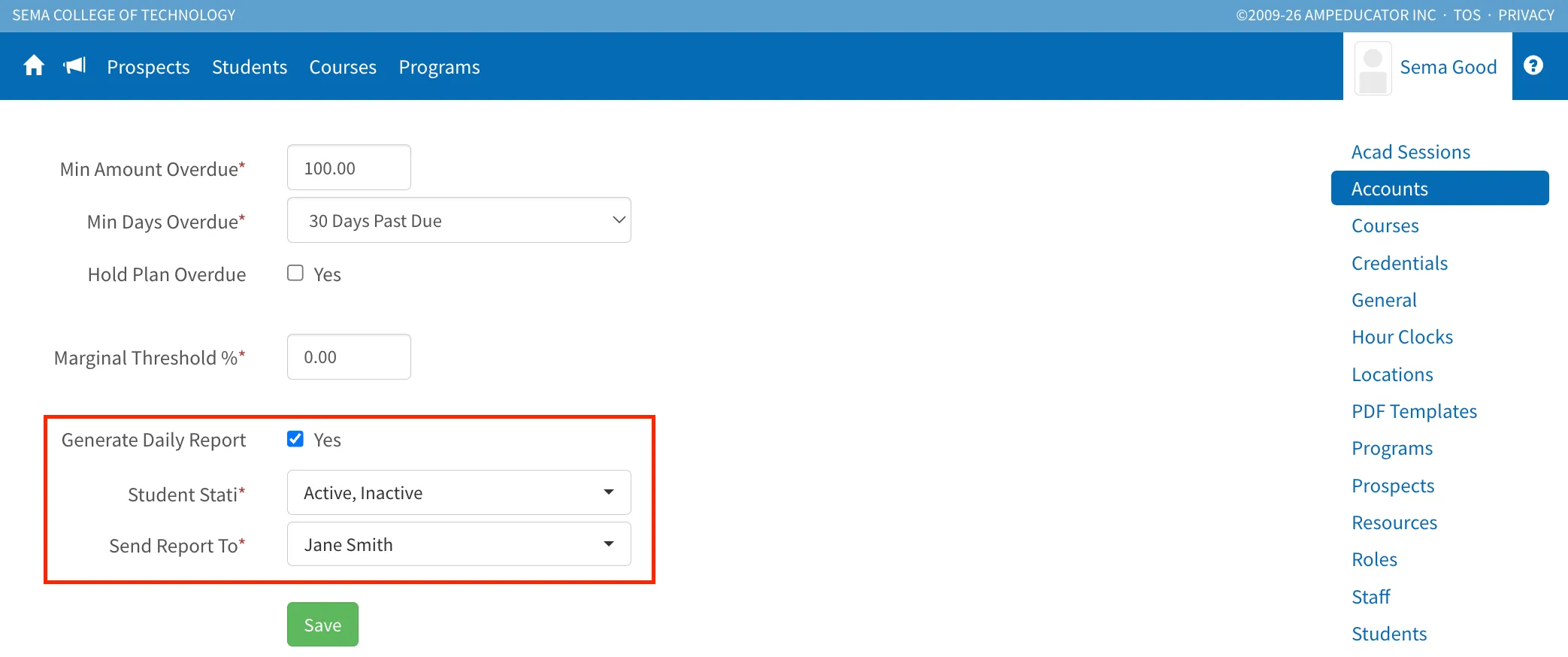
Select:
- The student statuses you want to monitor.
- The staff member(s) who should receive the report.
Each day, ampEducator will automatically generate a report of students who meet your overdue criteria and email it to the selected staff members.
This allows you to stay informed without having to manually review student accounts.
Run the Report Whenever You Need It
If you don't want daily email notifications and would rather check whenever it's convenient, you can also run the report manually.
Go to Home / Reports / Finance & Bursar and click the Generate Report icon beside Student Account Marginal & Review.
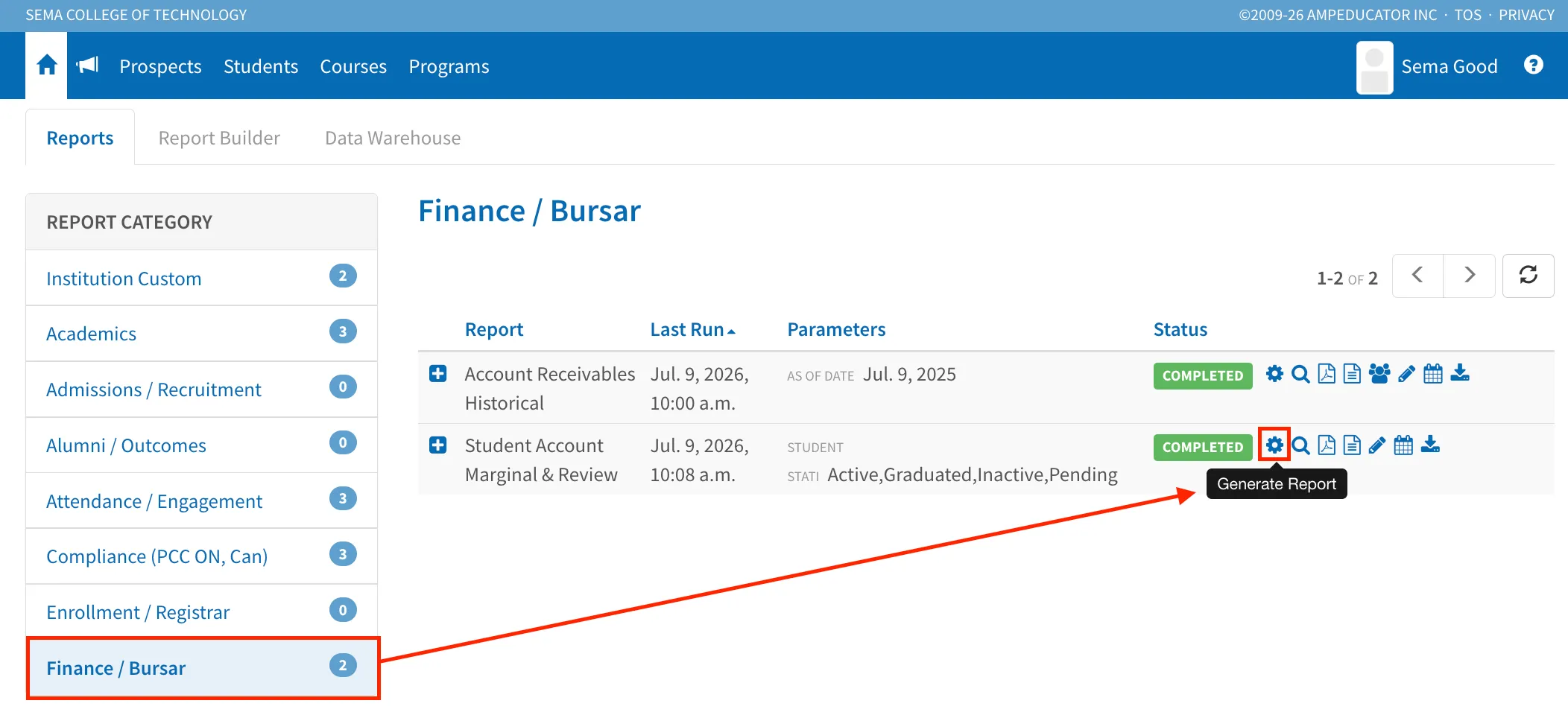
Once the report has generated, click the View Report icon. (You may need to refresh the page before it appears.)
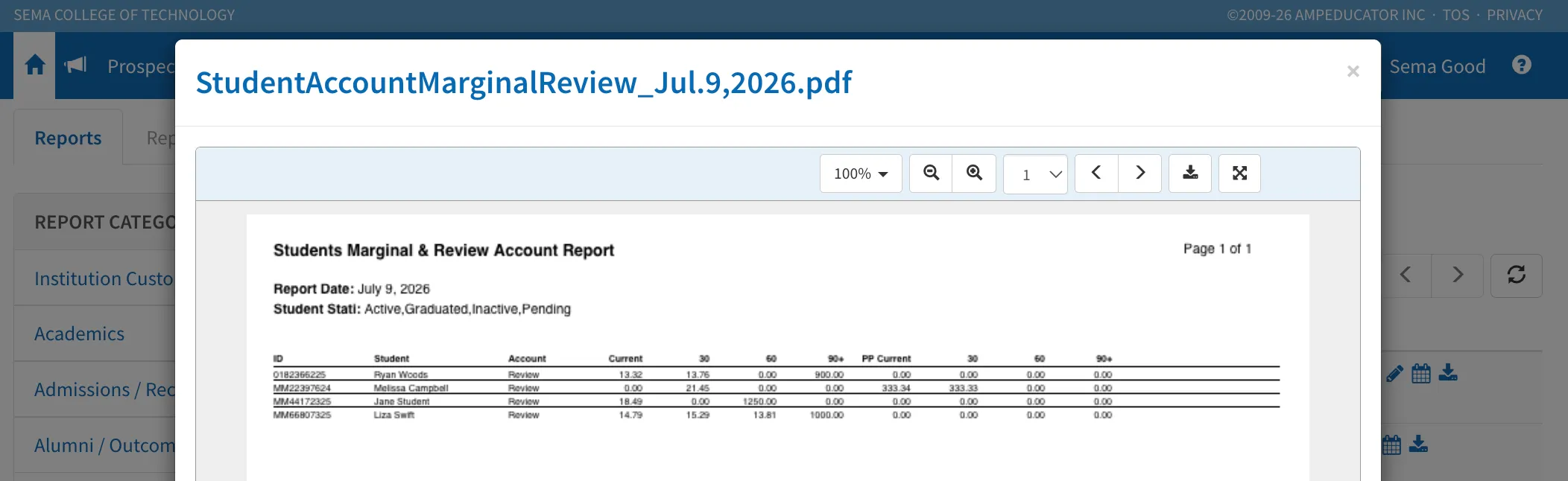
The report uses the criteria you've already configured in Institution Config / Accounts / Status, so once those settings are in place, the report will automatically identify students whose accounts meet your thresholds. Simply generate the report whenever you'd like an up-to-date list of students who meet those conditions.
Monitor Account Status from the Students List
Once you've configured your account status criteria, you can also add the Account Status column to your Students list.
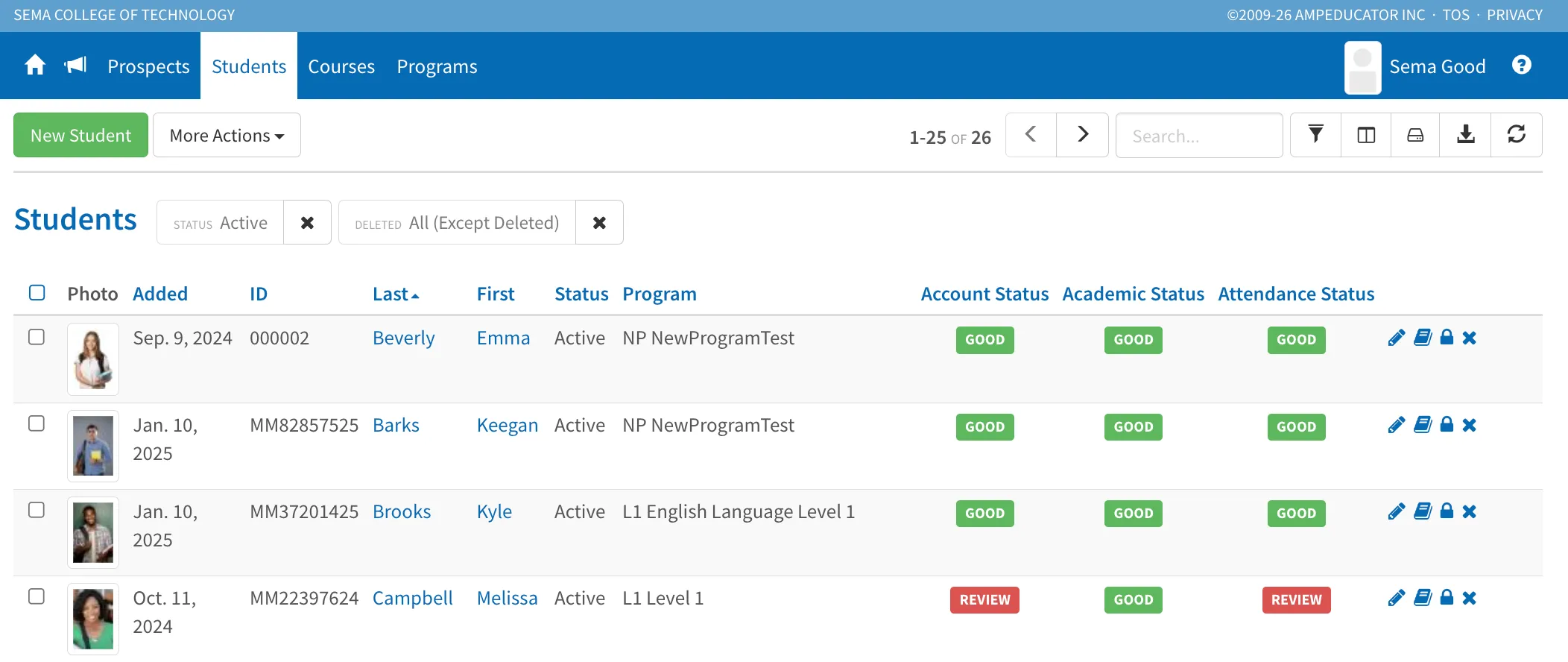
This provides an at-a-glance view of each student's account status, allowing you to quickly identify students who are in Good, Marginal, or Review status without running a report.
Automatically Send Payment Reminders
You can also automate payment reminder emails for students.
Go to Institution Config / Accounts / Defaults. Scroll down to the Overdue Reminders section. Select which types of payments should receive reminder emails. You can choose Charges, Invoices, Payment Plan Items, or any combination of the three.
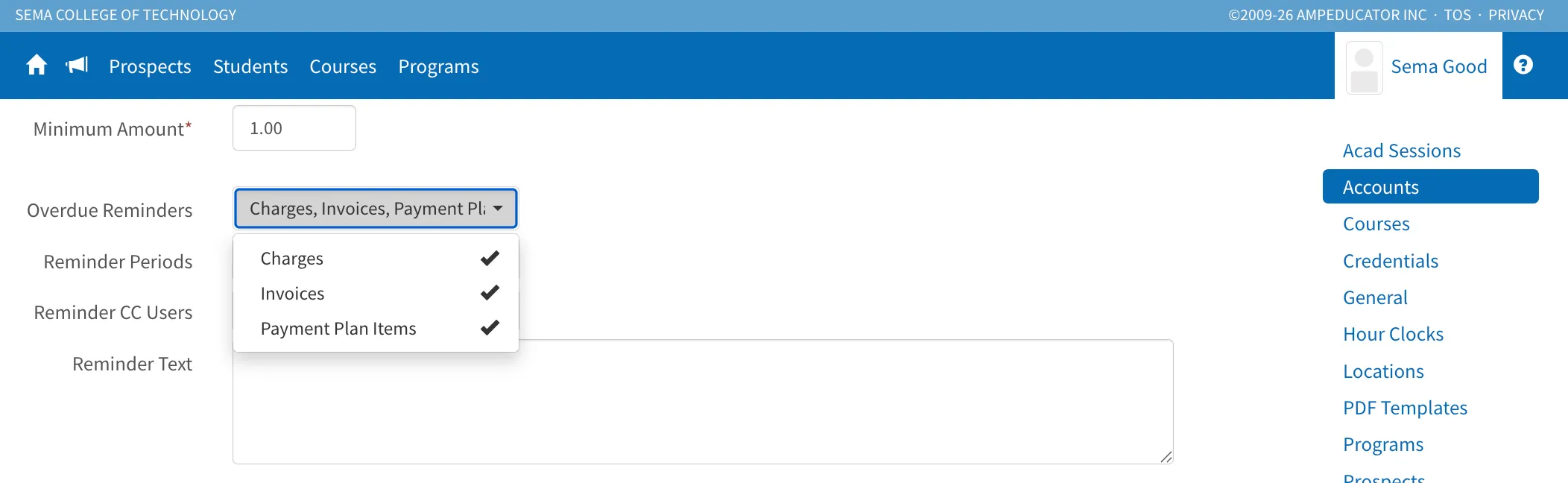
Next, choose when reminders should be sent. You can select multiple reminder periods, such as 1 week before, 1 day before, on the due date, 1 day after, and many other intervals.
If you'd like to receive a copy of those reminders, you can also CC yourself or other staff members on the emails.
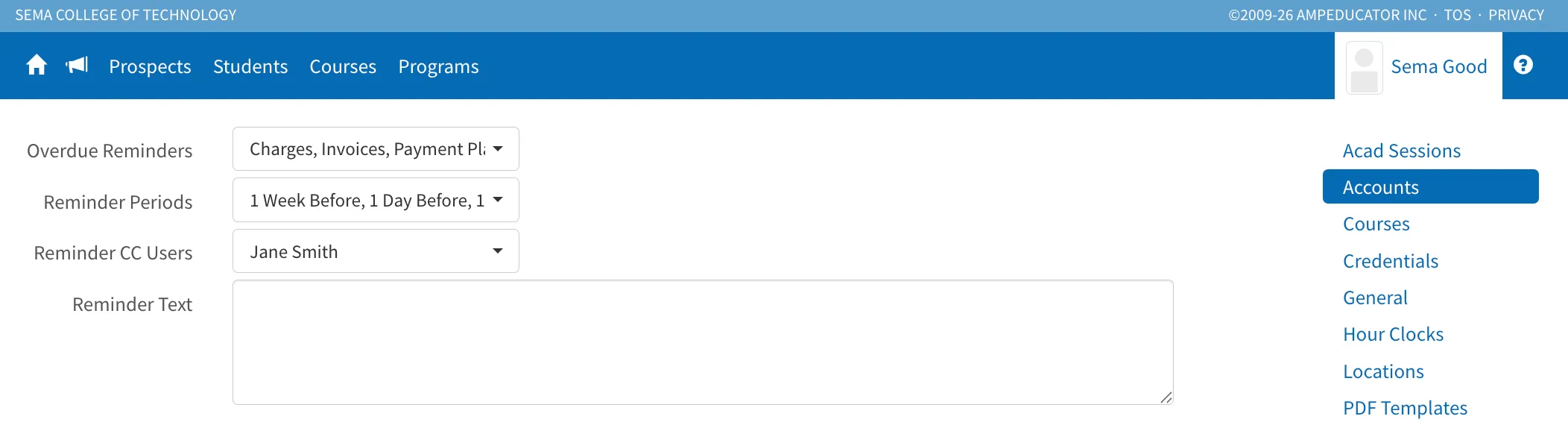
If you'd like to personalize the reminder emails, you can also enter your own message in the Reminder Text field. This text will be included in the reminder email sent to students.
This helps ensure students receive timely payment reminders while keeping the appropriate staff members informed.
Summary
With just a few settings, ampEducator can automatically monitor overdue accounts, notify staff, display financial status throughout the system, and send payment reminders to students—reducing manual follow-up while helping ensure payments don't slip through the cracks.