June
Student Hour Clock Import
Release Date: June 11, 2026
A new Student Hour Clock Import option is now available under Imports.
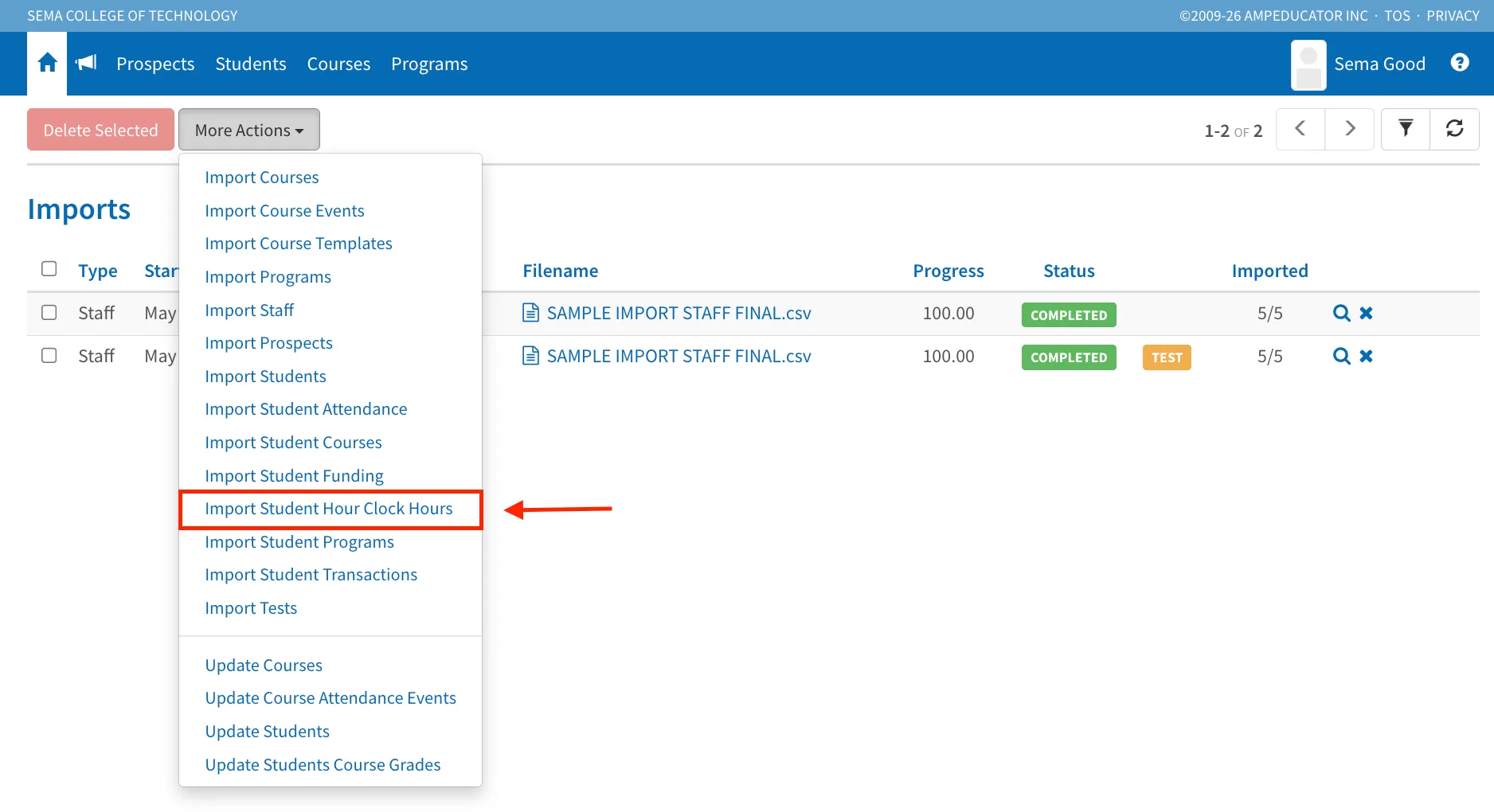
This feature allows institutions to import student hour clock records in bulk using a CSV file. Imported records include the student assignment ID, date, time in, and time out.
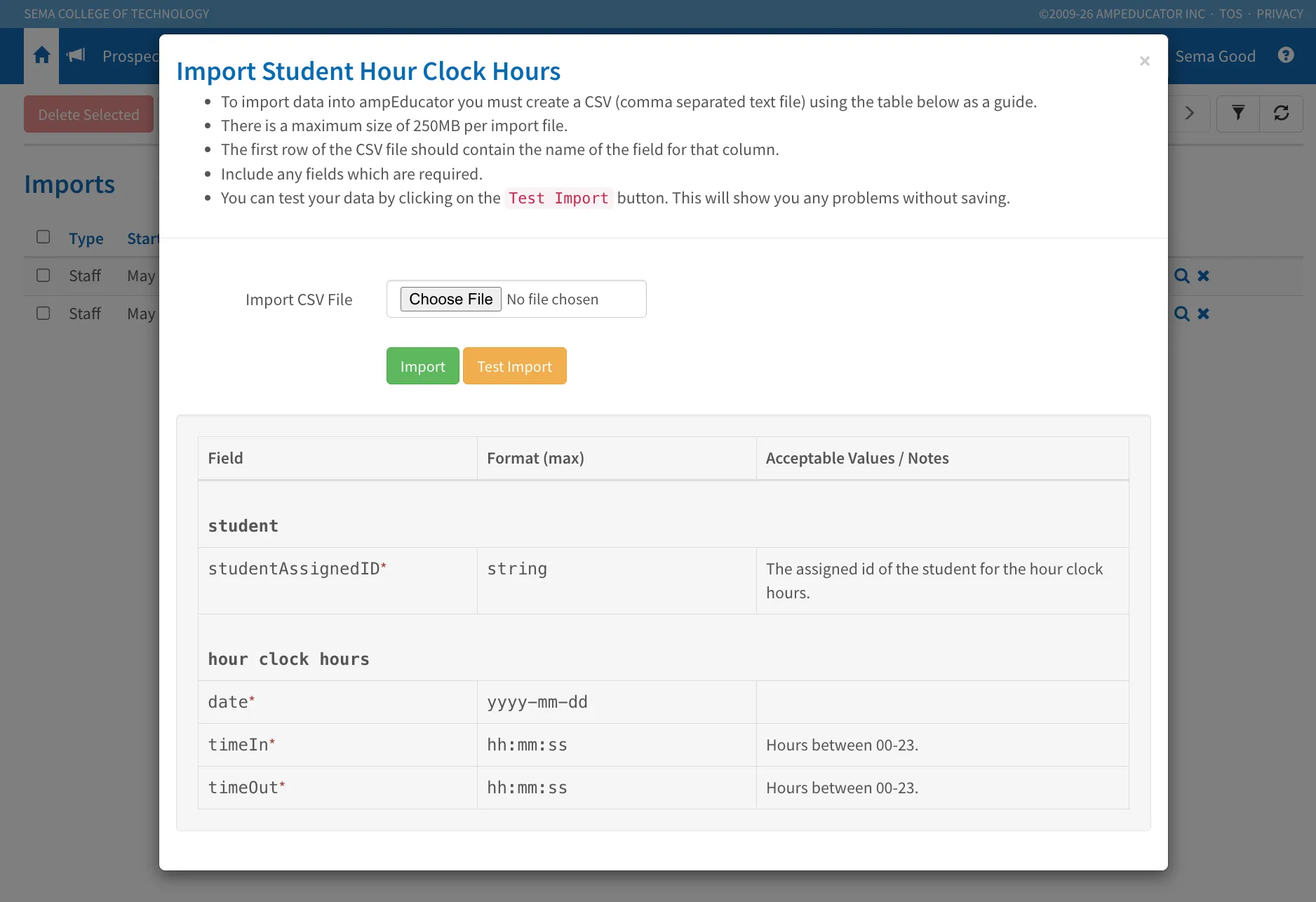
A Test Import option is also available, allowing you to validate your data before completing the import.
This helps reduce manual data entry and makes it easier to migrate or update large volumes of hour clock records.
Bulk Course Publish Status Updates
Release Date: June 11, 2026
A new Update Courses Publish Status action is now available under Courses → More Actions.
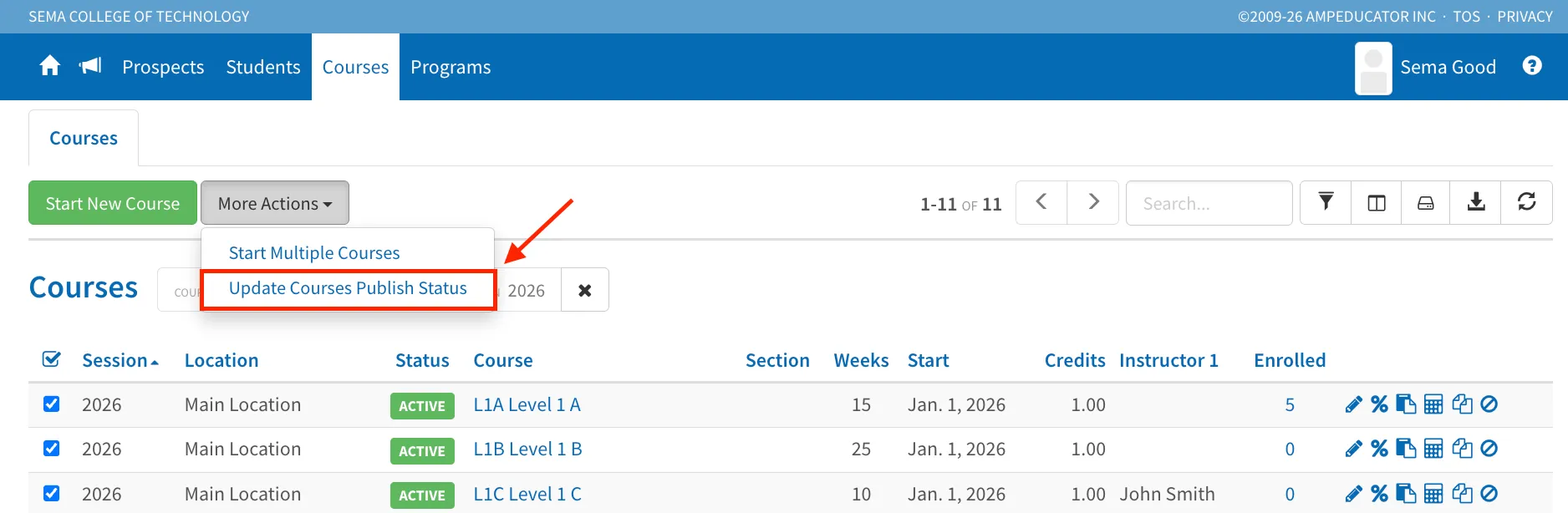
You can now select multiple courses and update their publish settings in a single action. Administrators can choose the publish type and update the published status for all selected courses at once.
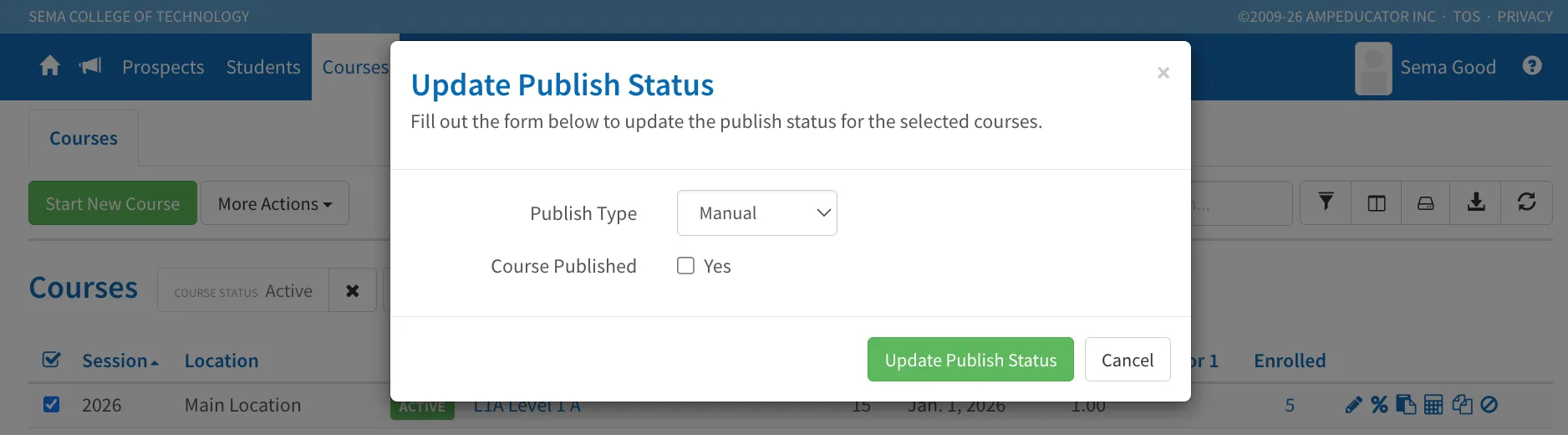
This simplifies course management and reduces the time required to maintain course availability.
Student Program Audit Report
Release Date: June 11, 2026
A new Student Program Audit Report is now available from the student profile.
Navigate to Student Profile → Academics → Programs.
From the Programs list, click the Audit Student Program icon beside a program enrollment to open the audit report.
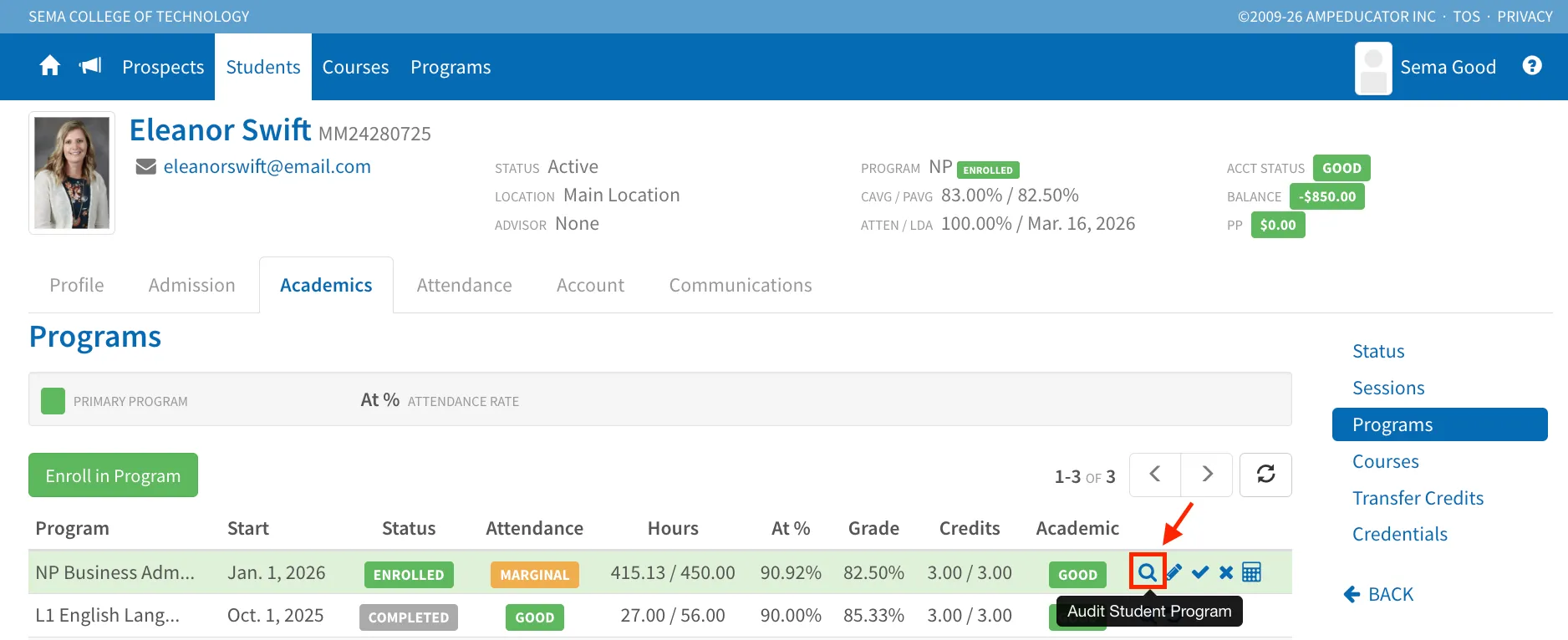
The audit report provides a detailed overview of a student's progress within a program, including:
- Program details and status history
- Academic standing and final grade information
- Attendance status, hours completed, absences, and lates
- Credential eligibility and awarded credentials
- Program components and course requirements
- Credits earned versus credits required
- Student course completion details
The audit can be reviewed on-screen and exported using the Download Audit PDF button at the bottom of the report.
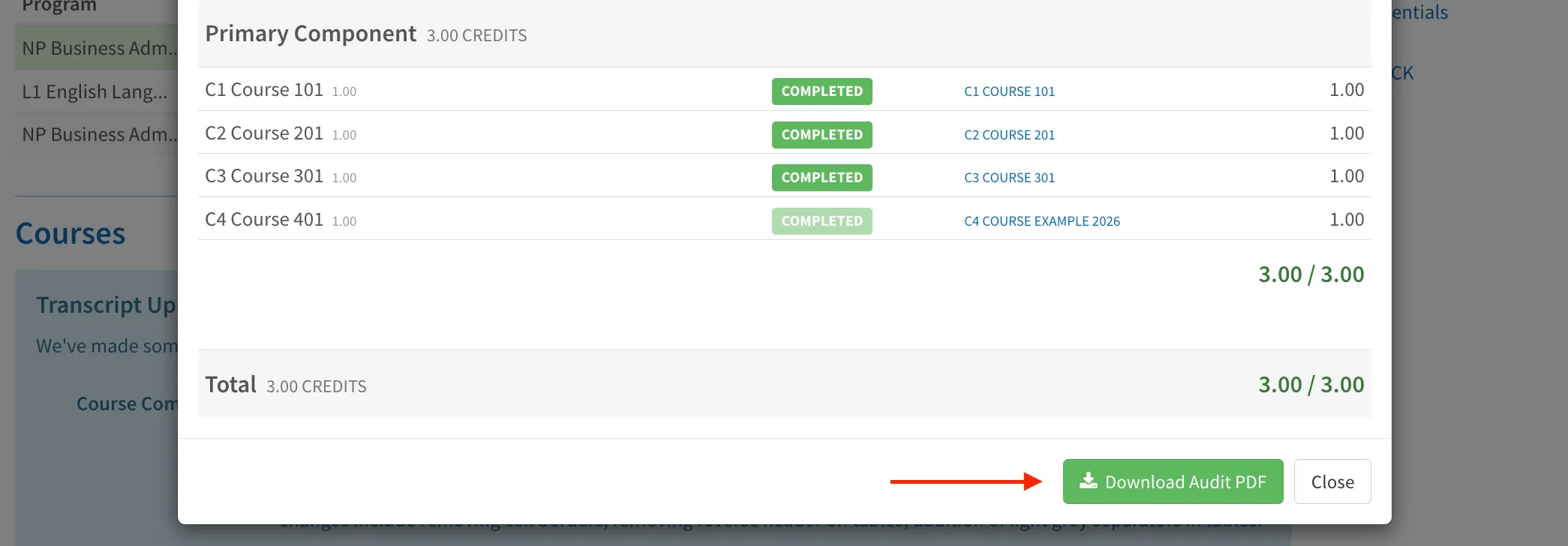
This provides administrators, advisors, and registrars with a comprehensive summary of a student's progress toward program completion.
Transcript Course Components
Release Date: June 11, 2026
Transcript templates can now display course component breakdowns.
When editing a transcript template under Institution Configuration → Transcripts, administrators can choose to display:
- Grade, Weight, and Final
- Grade, Weight, Final, and Contribution
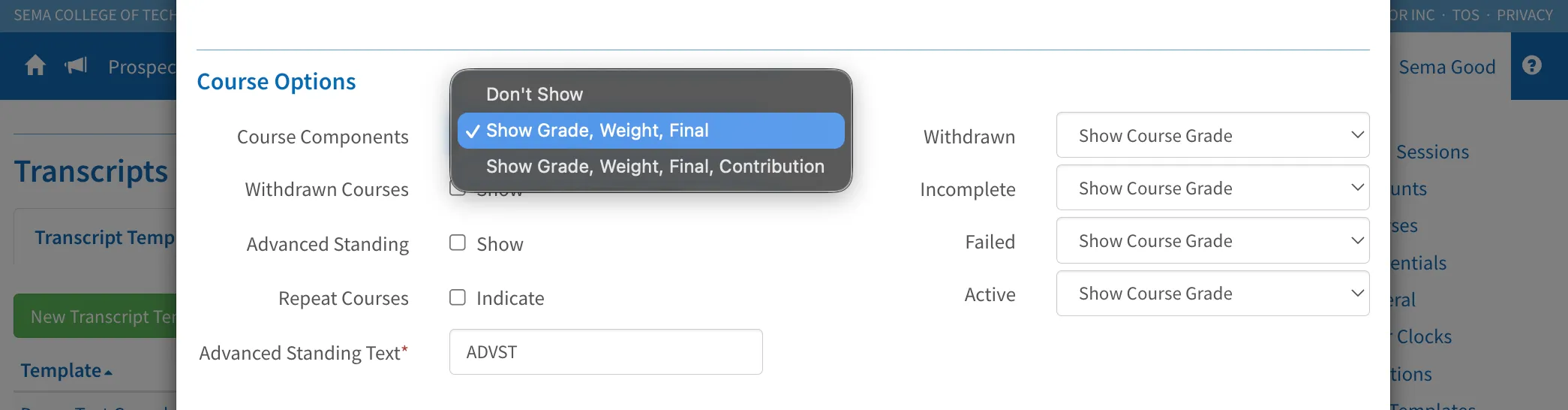
When enabled, transcripts will show individual course components such as assignments, tests, participation, attendance, and other grade groups beneath each course.

The Contribution option displays the weighted impact of each component on the overall course grade, providing greater transparency into how final grades are calculated.
Existing transcript templates continue to function without modification.
Transcript Styling Improvements
Release Date: June 11, 2026
We've made several visual improvements to transcript printing to better align transcripts with other reports throughout ampEducator.
Changes include:
- Cleaner table layouts
- Improved column alignment
- Reduced table borders
- Removal of reverse header styling
- Light grey separators between transcript items
These updates improve readability while maintaining compatibility with existing transcript templates.