November
New Feature: Student Login Photo Verification
Release Date: November 4, 2026
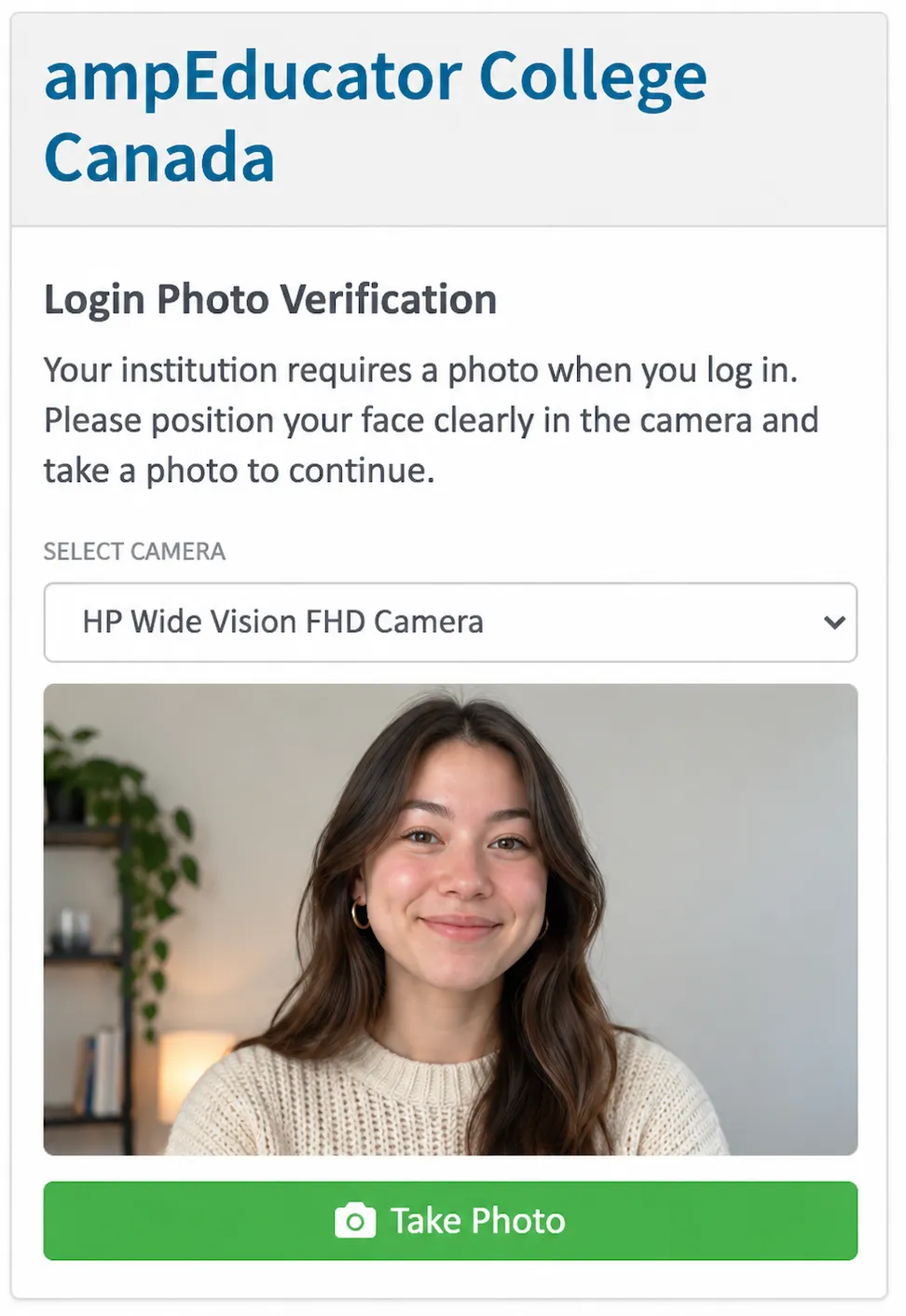
Institutions can now enable Student Login Photo Verification to capture a webcam photo of students when they log in to ampEducator.
When enabled, students are prompted to take a photo before completing their login. The system checks that a single face is present, and the captured image is saved with the student's login record for staff to review.
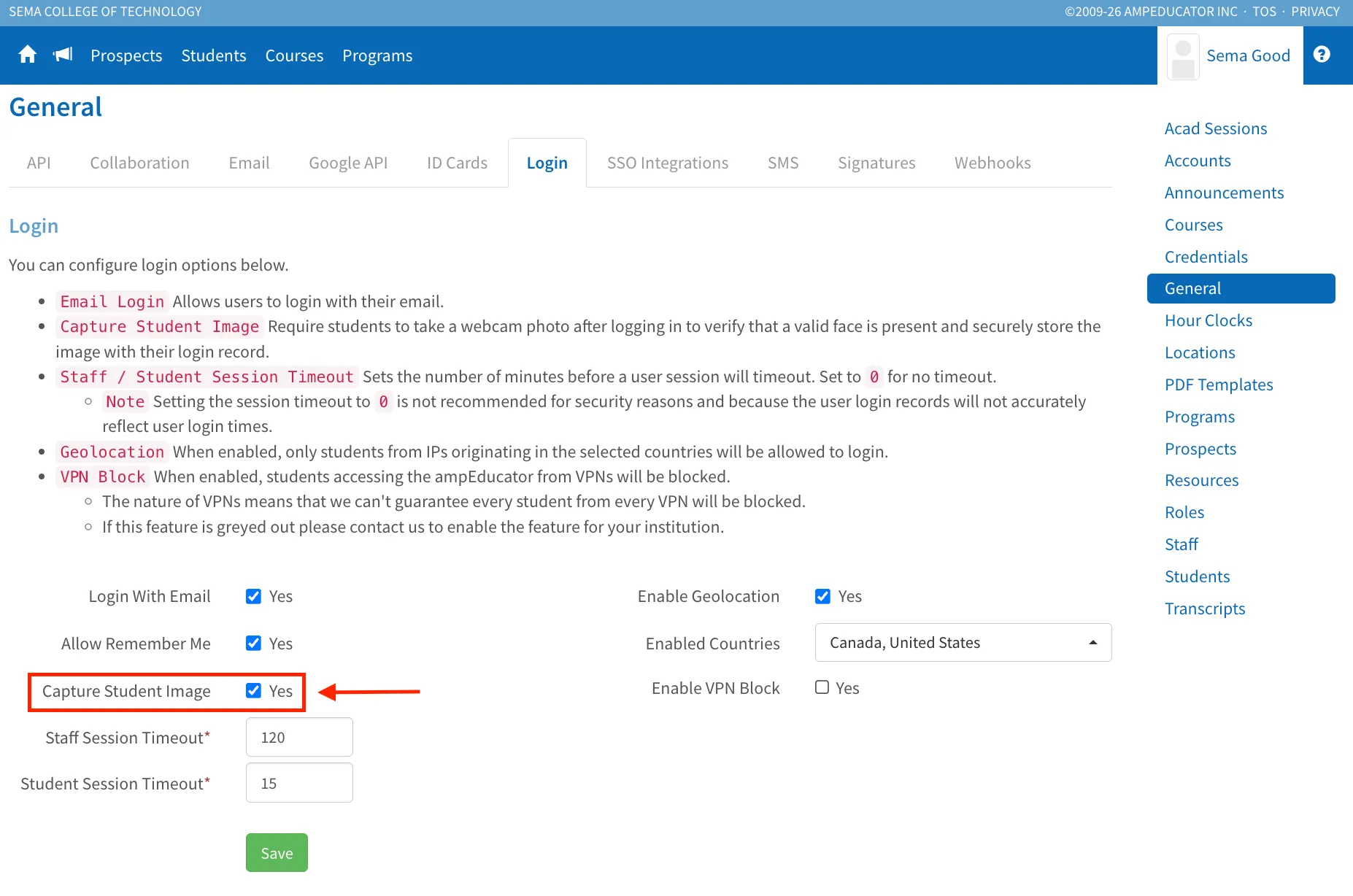
Administrators can enable this feature under Institution Config → General → Login → Capture Student Image.
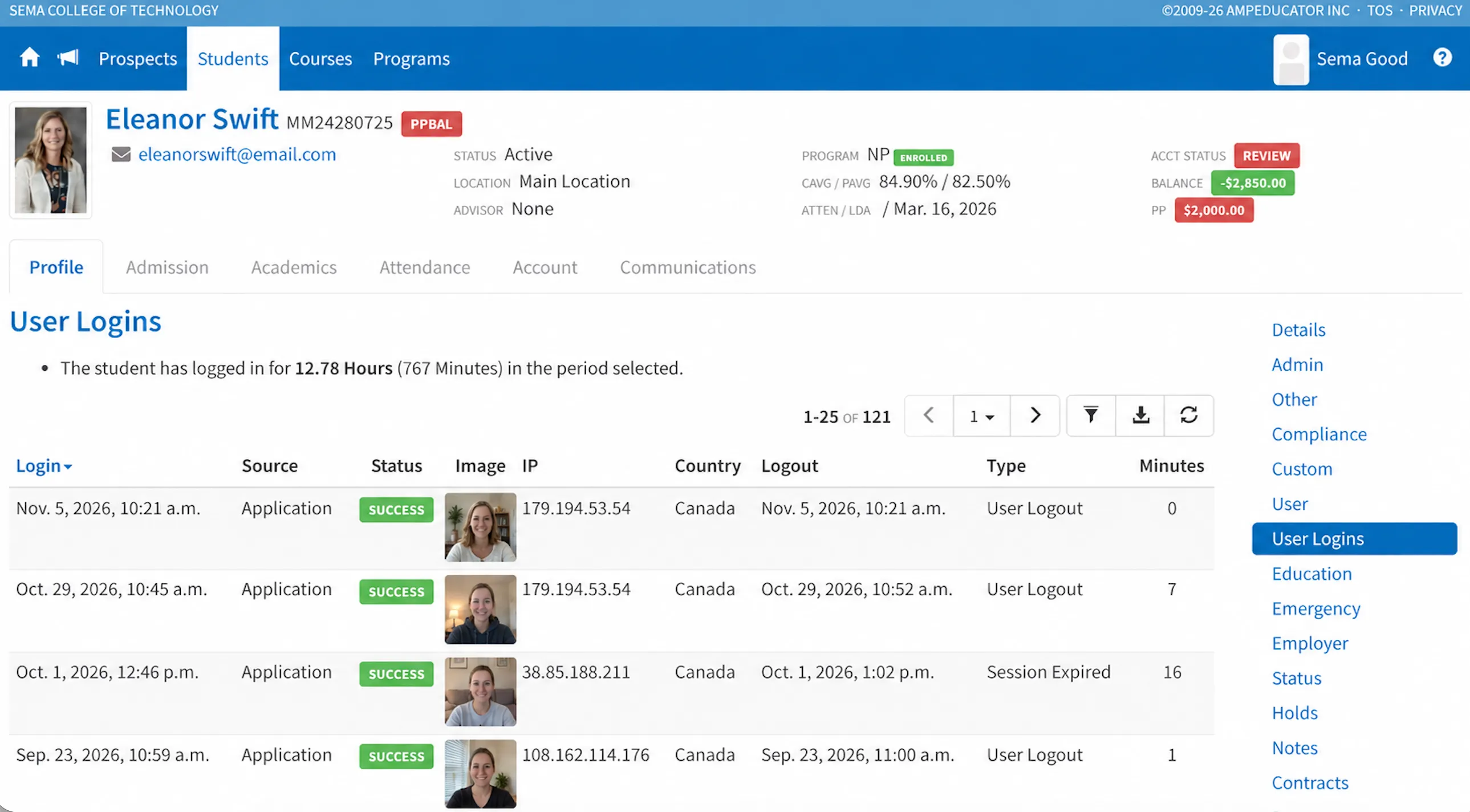
Captured photos can be viewed under Students → Details → User Logins.