Hours
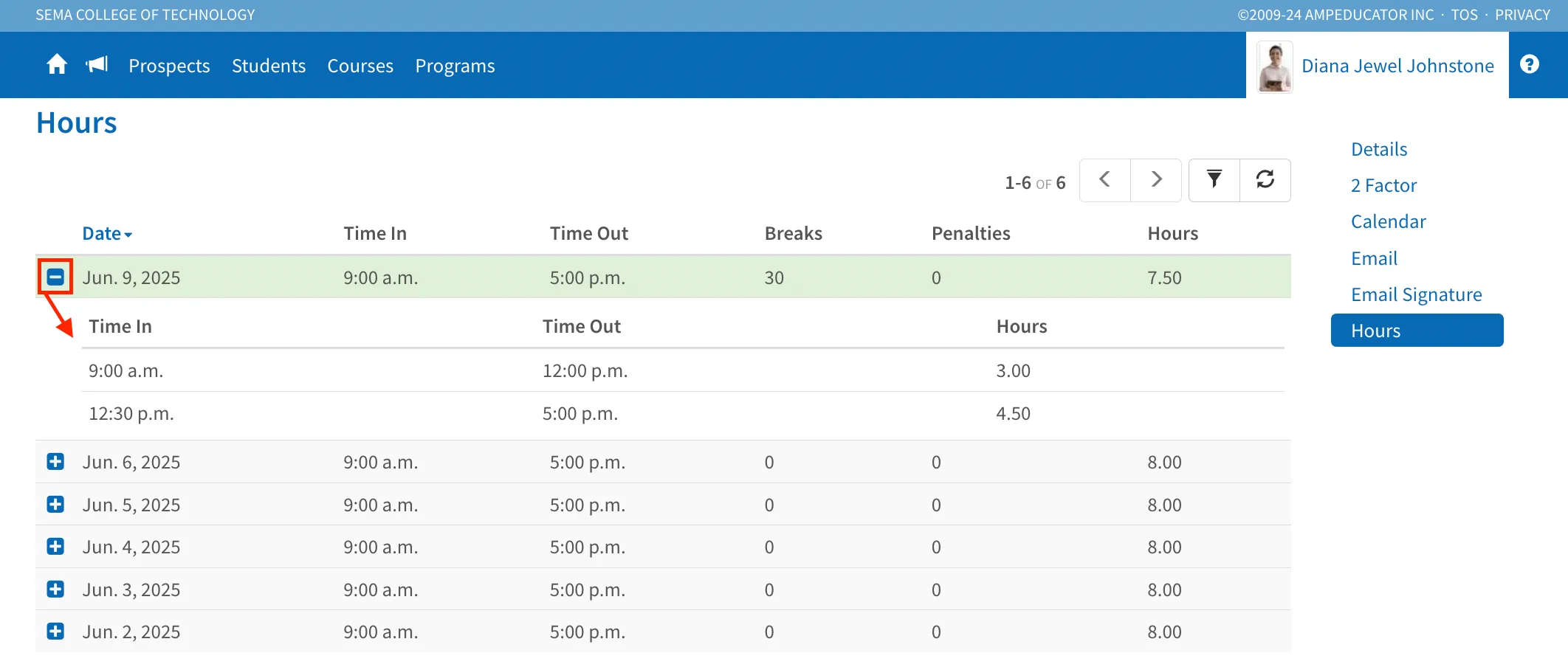
The Hours section displays all recorded work hours for the account—whether staff or student. To use this feature, your institution must first configure Hour Clocks in Institution Config / Hour Clocks.
Once set up, users can view a list of their logged hours by date, including time in, time out, breaks, penalties, and total hours. Clicking the + icon beside a date will expand it to show detailed time entries, such as multiple sign-ins and sign-outs throughout the day.